

How to register
- Click Register at the top of the page.
- Enter your e-mail address or phone number and a password.
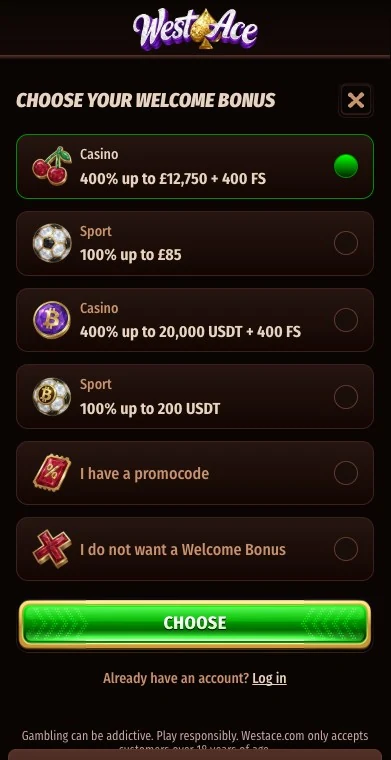
- Choose your welcome bonus.
- Fill in your personal details as on your identity document.
- Deposit from €10 and start playing.
How to log in
Enter your e-mail or phone number and your password in the login window; the reset link handles a forgotten password, and the account menu logs you out on a shared computer. After several failed attempts our live chat reopens the account once you confirm your identity.
Verification
| Document | What we need |
|---|---|
| Identity | Passport, driving licence or ID card |
| Address | Utility bill, bank statement or rental agreement |
| Payment method | Proof of ownership, when asked |
Scroll horizontally to see the full table
We ask for these before your first withdrawal or a bonus payout; you have 30 days from our request, after which the account is closed, so upload them early.
Common problems
- No confirmation e-mail: check spam; our live chat resends it.
- Forgotten password: use the reset link.
- Locked account: our live chat reopens it after confirming your identity.
- Wrong welcome bonus chosen: contact the chat before you deposit.
Frequently asked questions
Do I need to verify before playing?
No, before your first withdrawal.
Can I register with my phone number?
Yes, with a phone number or an e-mail address.
How many accounts can I have?
One per person; duplicates are closed.